
Vintage Color: Nostalgia Art
Fancy Games StudioBoard
4.83.16K Reviews
- Version
- 1.94.231
- Installs
- 1.00M
- Age Rating
- Teen
Screenshots



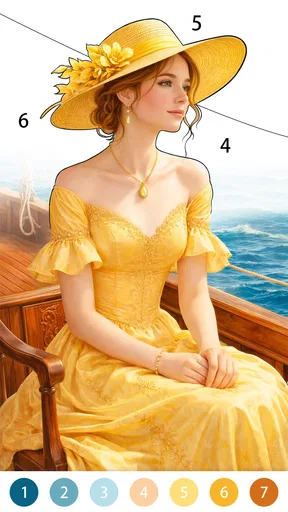
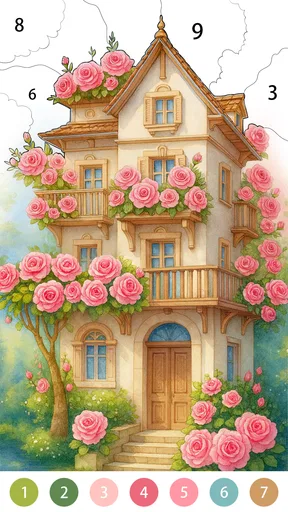
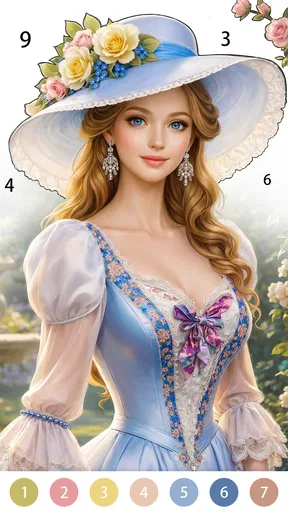
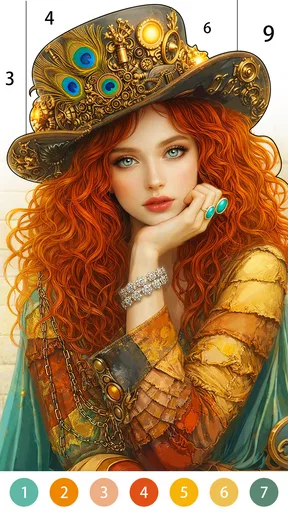
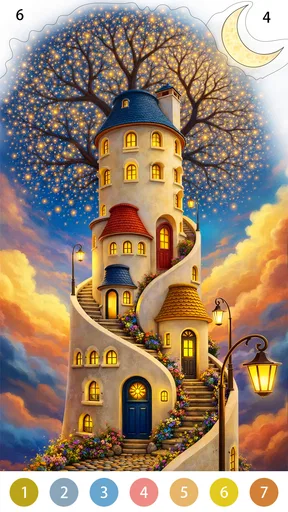
Our Review of Vintage Color: Nostalgia Art
 Analysis by Appyee
I opened Vintage Color: Nostalgia Art expecting a simple coloring game, and that is exactly where its appeal begins. It does not ask me to learn complicated rules, build a strategy, or compete against another player. I choose an illustration, select a color, and start filling the marked areas. The action is immediately understandable, which makes the game easy to recommend when I want something calm rather than demanding.
Fancy Games Studio presents it as a board game, but the experience feels closer to a digital coloring book with light game structure around it. The vintage-inspired artwork gives the app its identity, while the free entry point makes it easy to try without committing money first. After using it, my impression is that the strongest reason to return is not challenge in the traditional sense. It is the satisfying rhythm of turning a mostly empty picture into a finished scene one small section at a time.
How the coloring loop works in everyday use
I find the coloring loop easiest to enjoy when I treat each visit as a small, self-contained break: choose a picture, finish a recognizable area, and stop whenever the moment is over. That approach keeps the tapping from feeling like a chore and gives me a clear sense of progress even in a short session. It also makes it easier to tell whether the app’s calm pace suits me before I decide how often to return.
The first action is deliberately simple
My first useful decision is choosing an image that matches my mood and available time. If I have only a few minutes, I can begin a picture without needing to understand a tutorial-heavy system. If I want a longer, quieter break, I can stay with one illustration and work through it more carefully. That flexibility is important because the game does not depend on a single ideal session length.
The basic action is tapping the numbered or marked spaces with the matching color. That sounds ordinary, but the simplicity is what makes the opening seconds effective. I do not have to think about brush size, pressure, blending, or whether I am technically good at drawing. The game turns coloring into a sequence of small choices, so even someone who would never use a traditional art app can begin comfortably.
A practical tip is to avoid treating every picture as a race to completion. I get more from the experience when I pause after finishing a visually important area and look at how the composition is changing. Filling the background first may make the subject easier to read, while working on the central object can provide a quicker sense of progress. The best order depends on whether I want the image to emerge gradually or want an obvious focal point early.
Why the feedback rhythm keeps me moving
Each correct tap gives the action a clear response: a small section changes from unfinished to colored, and the remaining work becomes easier to understand. That immediate visual feedback is the heart of the game. I am not waiting for a distant reward to know whether I am making progress. The picture itself records every successful choice.
This creates a pleasant rhythm: locate a target, choose its color, fill it, scan for the next target, and repeat. The rhythm is especially effective during routine moments, such as sitting with a coffee, waiting for an appointment, or winding down before bed. I can stop after a handful of areas without feeling that I abandoned a complicated task, then return later because the unfinished image remains a visible invitation.
The feedback is also useful for reducing decision fatigue. In a blank canvas app, I would need to invent the subject, palette, and technique myself. Here, the artwork supplies the structure. I still make choices about where to work next, but I am not responsible for creating the entire visual plan. That makes this a better fit for relaxation than for someone seeking a serious drawing tool.
There is a trade-off, though. The same guided structure that makes the game accessible can feel restrictive if I want complete artistic control. I cannot freely sketch over the image in the way I could with a painting application. The satisfaction comes from completing the intended design, not from changing its composition or experimenting without boundaries.
The reward is completion, not competition
The main reward is seeing the finished illustration become coherent. A dull, incomplete image gradually gains contrast and character, and the final result feels more polished than the individual taps suggest. I enjoy that the reward is visual rather than noisy or overly demanding. The completed picture gives me a clear stopping point, which many endlessly scrolling mobile games lack.
That reward also works on a smaller scale. Finishing a difficult-looking cluster of tiny spaces can feel worthwhile even before the whole image is done. When I am tired, these small milestones matter more than a large objective. The app gives me a reason to continue without making the session feel like a test of speed or skill.
For families, the Teen content rating is worth considering before handing the game to a younger player. I would not assume that a coloring format automatically makes an app suitable for every child. Adults and teenagers looking for a quiet creative pastime are the audience I would consider most appropriate, while parents should make their own decision based on the age suitability they expect.
What happens when a session resets
One of the most useful features of this type of game is that progress can be divided naturally across several visits. I can finish one section, put the phone away, and return when I have another calm moment. The reset is not a failure state; it is simply the point where a completed picture gives me a reason to select another one.
That cycle matters because the game has no need to manufacture urgency for me. I finish an illustration, enjoy the result, and then browse for a new visual mood. A nostalgic scene may suit an evening, while a brighter design may be better when I want something lighter. The next session begins because I want another small transformation, not because I am being pushed to recover lost progress.
I find this reset loop more comfortable than the usual puzzle alternatives that focus on lives, timers, or increasingly pressured levels. Those games can be enjoyable when I want tension, but they are less useful when my goal is to settle down. Vintage Color works best when I want a predictable activity with a beginning, a middle, and a visible end.
How it compares with ordinary coloring and board games
Compared with a physical coloring book, the app removes the need for pencils, erasers, a table, and cleanup. It also prevents the accidental over-coloring that can spoil a page. That convenience is a real advantage when I am traveling or using a phone in a small space. The compromise is that the digital result does not have the tactile feel or personal imperfection of paper and colored pencils.
Compared with a general drawing app, it is much easier to start but far less open-ended. I do not need artistic confidence, yet I also cannot use the experience to practice freehand technique in a meaningful way. Someone who wants to learn illustration should choose a dedicated art app instead. Someone who wants a guided, low-pressure activity may prefer this one precisely because it removes those technical demands.
Compared with traditional board games, the category label can be slightly misleading if I am expecting turns, opponents, dice, or tactical planning. This is a solo visual activity. It borrows the approachable, casual feel associated with board-game apps, but its real loop is coloring rather than competition. I would choose it for decompression, not for a game night with friends.
Small habits that make the experience better
I get better results when I use a consistent stopping rule. For a short break, I aim to complete one recognizable object or region instead of trying to finish the entire artwork. This prevents the session from becoming longer than intended and gives me a satisfying visual checkpoint. When I have more time, I can continue from that checkpoint without having to reconstruct what I was doing.
Another useful habit is to zoom or reposition the image when small areas become difficult to identify. On a phone screen, tiny spaces can make the process feel slower than it needs to be. I also avoid tapping rapidly when several colors are close together. A slower scan reduces mistakes and keeps the activity relaxing rather than turning it into a test of reflexes.
I would also treat the free download as an opportunity to evaluate the style before spending anything. The app includes in-app purchases ranging from $1.99 to $59.99 per item. That does not automatically make the purchase system a problem, but it means I would first decide whether the available artwork and pace genuinely suit me. If I dislike guided coloring after a few sessions, buying additional content will not fix that basic mismatch.
Where the app may create friction
The first limitation is repetition. The core action remains tapping matching areas, so players who need changing mechanics may lose interest. There is no need to pretend that the loop becomes strategically deep with extended use. Its strength is consistency, and that consistency can become predictable for anyone looking for surprise or challenge.
The second limitation is the lack of creative freedom compared with a blank canvas. I can complete the intended palette, but I am not really making an original illustration from scratch. That distinction matters. I would recommend this to someone who wants guided relaxation, while I would steer an aspiring artist toward software with layers, brushes, and unrestricted color choices.
Purchases are another point to watch. Because the game is free to start but offers individual items in a broad price range, I would be careful about tapping through purchase screens casually. A good personal rule is to decide in advance whether I am only sampling the free experience or whether a particular collection is worth paying for. This keeps the relaxing loop from turning into an unplanned shopping session.
Device compatibility is also straightforward: the game supports Android 7.0 and later. That covers older phones as well as newer ones, although the experience will still depend on screen size and how comfortable the display is for detailed areas. On a small screen, the same tiny sections that look charming can require more repositioning and patience.
Who will enjoy it most
I think the best audience is anyone who wants a quiet solo activity with clear progress. It suits people who enjoy vintage-looking imagery, casual coloring, and short sessions that can be paused without penalty. It can also work as a gentle alternative for someone who finds competitive puzzles too stressful but still wants an activity more engaging than passive scrolling.
It is particularly useful in an everyday scenario such as a delayed train or a slow evening at home. I can open an unfinished image, complete a few areas while waiting, and close the app without losing the sense that the time was well spent. The finished illustration provides a modest accomplishment, which is more rewarding than simply refreshing social feeds.
I would skip it if I want multiplayer interaction, a demanding puzzle system, or a tool for developing drawing technique. I would also skip it if repetitive tapping quickly frustrates me. The game does not hide what it is: a calm, guided coloring experience. That honesty makes the decision easier, because the right question is not whether it offers deep strategy, but whether its pace matches the kind of break I want.
Practical details before installing
Vintage Color: Nostalgia Art is free to download, and Fancy Games Studio is the developer behind it. It was released on November 5, 2021, and the current version is 1.94.231. The app has passed one million installs, with an average rating of 4.8 from around twenty-one thousand ratings and roughly three thousand two hundred written reviews. Those figures suggest that its focused approach has found a substantial audience, although popularity does not change the need to check whether guided coloring is personally satisfying.
The Teen rating should remain part of the installation decision, especially when the phone is shared with younger users. The minimum Android requirement of 7.0 is helpful for people keeping an older device in service. Since the game is built around visual detail, I would test it on the phone I plan to use rather than assuming that compatibility alone guarantees the most comfortable experience.
My verdict on the complete loop
The loop is clear from beginning to end: I choose an image, fill a marked area, receive immediate visual confirmation, watch the picture become more complete, finish it, and then begin another when I want the same calm feeling again. That structure is not ambitious, but it is thoughtfully suited to short, low-pressure sessions. The reward is the finished artwork and the quiet sense of order that comes from completing it.
My recommendation is positive, with a specific condition: install it if you want a digital coloring book that guides your hand and gives each session a visible conclusion. Do not choose it as a replacement for a competitive board game, a full drawing studio, or a puzzle with escalating complexity. For me, its value is in making a small amount of free time feel focused without demanding much from me.
After several sessions, I see Vintage Color: Nostalgia Art as a dependable relaxation game rather than a deep board experience. Its vintage presentation, accessible controls, and gentle reset cycle make it easy to return to, while its repetitive structure and purchase options call for realistic expectations. If a peaceful, guided coloring routine sounds better than pressure or competition, this is a worthwhile free game to try.
Verdict
Strengths of Vintage Color: Nostalgia Art
- Creates warm, nostalgic edits with vintage-inspired color palettes.
- Offers artistic effects for giving ordinary photos a retro character.
- Simple controls make it approachable for casual photo editing.
- Useful for social posts, portraits, travel shots, and themed photo sets.
- Previewing edits makes it easy to compare the original and final image.
Limitations of Vintage Color: Nostalgia Art
- Some effects may look too strong without careful adjustment.
- The nostalgic style may not suit modern, clean-looking photo projects.
- Export quality can depend on the selected settings and device.
- A large number of similar filters may feel repetitive over time.
- Advanced users may miss detailed manual color and tone controls.
Other Releases by Fancy Games Studio
View All
Blossom Color: Floral Serenity
Board4.8

Cute Funny Animal Color
Board4.7
Similar Picks in This Category
View All
Ludo King®
Gametion4.1

Ludo
Yarsa Games4.6

Tile Master® - Matching Game
Higgs Studio3.6

Checkers Online
CC Games4.6

Dominoes
Loop Games4.7

Chess
Chess Prince4.6
Frequently Asked Questions
What is Vintage Color: Nostalgia Art?
Vintage Color: Nostalgia Art is a coloring and creative-editing app designed around retro aesthetics. It lets you fill illustrated scenes, apply nostalgic color palettes, and create artwork inspired by old photographs, classic posters, and vintage design. The experience is generally relaxing rather than competitive, making it suitable for users who enjoy casual artistic activities and want an easy way to produce shareable images.
How does the coloring experience work?
The app typically provides a collection of line-art illustrations that can be colored by selecting shades from an on-screen palette and tapping or brushing over different areas. Depending on the image, you may be able to zoom in for smaller details, undo mistakes, and experiment with alternative combinations. The controls are intended to be approachable for beginners, although completing highly detailed pictures can require patience.
Is Vintage Color: Nostalgia Art free to download and use?
The application may be available as a free download, but some artwork, palettes, tools, or additional features can be restricted behind advertising, in-app purchases, or a premium subscription. Availability and pricing may vary between Android and iOS and can change with updates. Before downloading, check the current store listing carefully, especially if you want access to the complete catalog without limitations.
Does the app work without an internet connection?
Basic coloring may work offline once the required content has been installed, which is useful when traveling or when you have limited connectivity. However, advertisements, cloud-related functions, new artwork, sharing services, and some premium content may require an internet connection. Offline behavior can also differ by device and app version, so it is worth testing downloaded illustrations before relying on the app away from Wi-Fi.
Can I save or share the artwork I create?
After finishing an illustration, users can generally save the result to their device or share it through compatible social networks and messaging applications. The exact export options may depend on the operating system, app permissions, and whether the image includes premium content or a watermark. Review the privacy and storage permissions before granting access, particularly if you plan to save many completed designs.
Play our best games!


